GST E-Invoicing Software
Simplify GST E-Invoicing with Smart, Automated Software
Generate, manage and track GST e-Invoices with an easy-to-use solution designed to streamline invoice compliance and reduce manual work.
What Is GST E-Invoicing Software?
A Smarter Way to Manage GST E-Invoices
GST e-invoicing involves reporting specified invoice details to an Invoice Registration Portal (IRP), which generates an Invoice Reference Number (IRN) and digitally signed QR code for applicable documents.
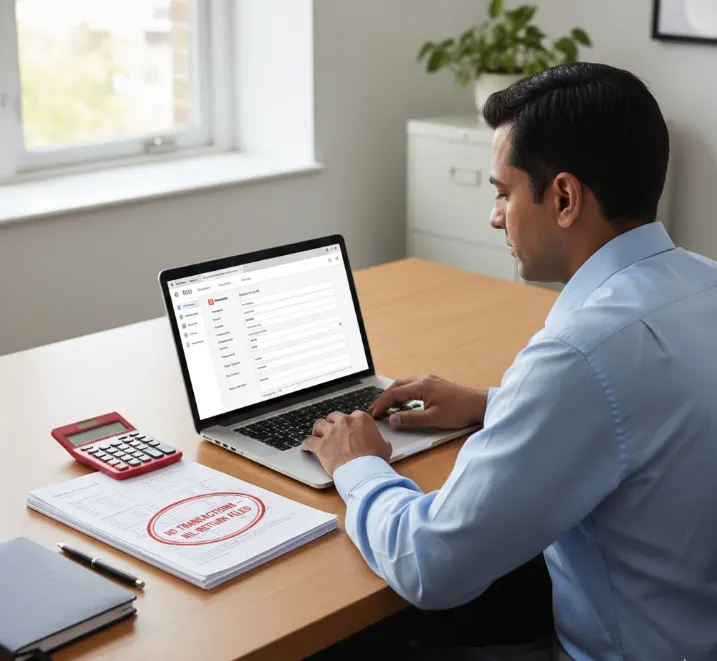
Instead of manually entering invoice information into an IRP, e-invoicing software can connect your invoicing/accounting workflow with the applicable GST e-invoicing process.
E-invoicing applies to taxpayers who fall within the notified applicability criteria, subject to applicable exemptions.
Features of Our GST E-Invoicing Software
Everything You Need for Efficient E-Invoice Management
Automated E-Invoice Generation
Generate e-invoices from your invoice data without repeatedly entering information into the IRP.
IRN Generation
Send applicable invoice details for IRN generation and receive the corresponding IRN information.
QR Code Management
Generate and manage the applicable digitally signed QR code associated with e-invoices.
Credit & Debit Notes
Support applicable credit and debit note reporting within your e-invoicing workflow.
E-Way Bill Integration
Where supported and applicable, streamline e-way bill generation along with the e-invoice workflow.
Invoice Status Tracking
Track whether invoices have been successfully reported, rejected, cancelled or otherwise require attention.
Data Import & Integration
Allow businesses to work with existing accounting, ERP or billing workflows rather than completely changing their invoicing process.
Invoice Records
Maintain accessible records of e-invoice information for accounting and compliance purposes.
How GST E-Invoicing Works
From Invoice to IRN in a Few Steps
Create Invoice
Create your invoice through your existing billing, accounting or ERP system.
Send Invoice Data
Relevant invoice information is passed to the e-invoicing system.
Report to IRP
The applicable invoice details are reported to the Invoice Registration Portal.
Receive IRN & QR
The IRP processes the document and returns the applicable IRN and digitally signed QR code.
Maintain Records
The e-invoice can then be used within your business workflow & retained for accounting and compliance records.
Why Choose CA India GST E-Invoicing Software?
Built to Make GST Compliance Easier
Less Manual Work
Reduce repetitive invoice entry and data handling.
Faster Invoice Processing
Automate repetitive steps in your e-invoicing workflow.
Better Accuracy
Reduce the risk of manual data-entry errors.
Compliance-Focused
Designed around applicable GST e-invoicing requirements and IRP workflows.
Scalable
Suitable for businesses handling increasing invoice volumes.
Professional Support
Get assistance when you need help understanding the e-invoicing process or resolving workflow issues.
Integration-Friendly
Position this strongly only if CA India’s actual product supports the integrations being advertised.
CA India provides professional registration and compliance assistance.
Frequently asked questions
What is GST e-invoicing?
GST e-invoicing is the process of reporting specified invoice information to an Invoice Registration Portal and obtaining the applicable IRN and digitally signed QR code.
Who needs to generate e-invoices?
E-invoicing applies to taxpayers covered by the notified applicability criteria, subject to applicable exemptions and government rules.
Does e-invoicing mean I create invoices on the GST Portal?
Not exactly. E-invoicing involves reporting applicable invoice data to an IRP. Businesses can use compatible software, accounting systems or other supported mechanisms to submit the required information.
Can the software generate IRN?
If the CA India product is integrated with the applicable IRP, this should be stated clearly here.
Can I generate e-invoices directly from my accounting software?
If CA India’s software supports accounting/ERP integration, explain the supported systems here.
Can I cancel an e-invoice?
Applicable cancellation rules and time limits apply. The page should explain this accurately rather than promising unrestricted cancellation.
Does e-invoicing automatically generate an e-way bill?
Only if the particular workflow and integration support it and the applicable conditions are satisfied. Don’t imply that every e-invoice automatically produces an e-way bill.